Showing posts with label photography. Show all posts

Answers to Your Questions

Monday, August 11, 2014

What camera do you use? I currently use the DSLR Canon EOS5D Mark II. Before using this camera I used a Canon 60D—which was also a great camera but the 5D is definitely much better. I personally love using the 5D because the quality photos this camera can produce are perfect for selling items--in my opinion. A lot of feedback I receive from customers is, “My items looks exactly like the pictures”. As a shop owner I know that having quality pictures is important when you’re trying to stand out from the millions of other photos in Etsy. The first thing potential customers will see when they’re searching for products is an endless river of photos to sort through, and a high quality, clean, clear, and well styled image will always stand out above the rest.

However, with that being said—there is no need to go out and purchase the 5D today. In my personal opinion I think that as long as you’re using a DSLR (a digital camera that allows you to use manual settings) you should be totally fine. As long as you can adjust the white balance, F-stop, aperture, and ISO—you’re golden! I do also believe that taking a photography 101 class is essential for using these types of cameras. Using manual settings if you have no photography background is pretty frustrating, but lucky I took a photography 101 class in college so I had an understanding on the subject before I even opened my shop. But, if you don’t have the time to take a photography class you can simply use a DSLR on automatic settings; however, the results will not be as great as they can be if you were using manual settings.

Extra tip: For me, the same rules still apply even when I’m using a high end camera to shot my images. I still use natural lighting, I do my best to style the image as best I can, I use white boards to eliminate shadows, etc.

Does the Canon Pixma Pro 100 print full bleed? You can print full bleed on this printer; however, I’m able to do that because the software I print off of is Adobe Photoshop—in Photoshop I can adjust the print settings and make room for the bleed before printing; or, set the print settings with no border. I haven’t actually used the Canon software that comes with the printer but I’ve read that with their software does allow one to print full bleed.

Other great things about this print is that it’s also basically a photo printer, so you can print photos and other art work up to a 13”x19” size—which is really cool. You can also bring on discs’ with this printer, print on thick cardstock, and print wirelessly. So you can printing off of your computer in one room and have the printing in another. You can also print directly from your iphone.

Extra tip: I purchased this printer from B&H when it was offered with a $300.00 mail in rebate. I would suggest purchasing it from there if you’re in the market for a new printer. In the end I only paid $98.00 dollars for this printer and B&H also shipped this product for free.

Click here to view the printer on the B&H website (I’m not being paid for sharing this information). 

Wish List

Friday, April 4, 2014

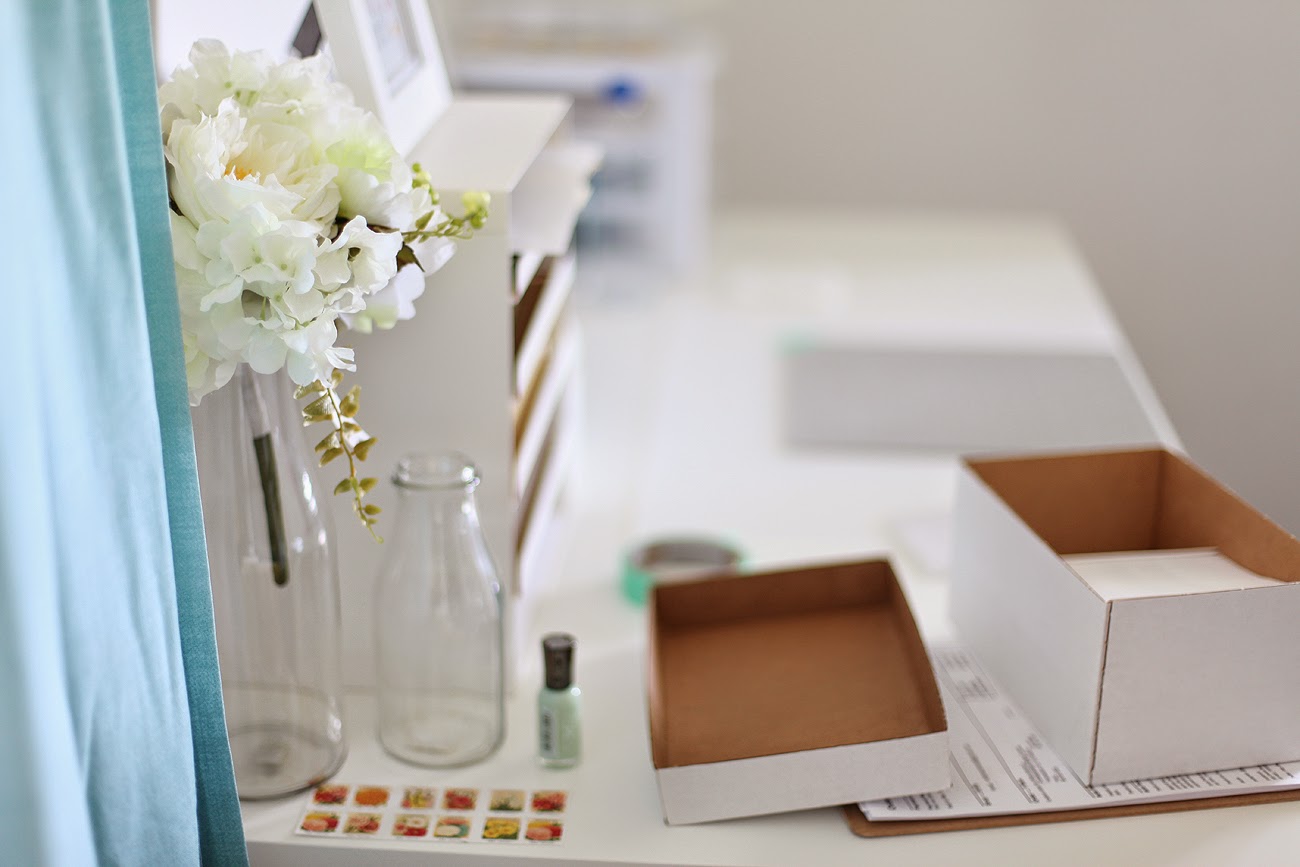
Hi everyone! I just wanted to share these awesome photos I took around my craft room using this new Canon EF 50mm f/1.4 USM lens that my boyfriend bought. He’s a photographer also and has so many cameras; and, now that he owns lots of different cameras he’s starting to purchase a variety of lenses, too. I wanted to give his 50mm lens and try because he mentioned how you can get amazing depth of field using it—and now that I’ve tried it I don’t want to go back to using my usual lens. 
In collage we both took photography 101, and this was the lens (50mm) that we started out with and it was really nice to come back to using a DSLR—especially now since I've got a lot more experience taking pictures. Since using this lens I would now like to add it to my wish list of “things I want to get in the future”, but for now I’m sure I’ll just take it from him from time to time, haha.

I hope you all have a great weekend. This weekend I’m going to try my hardest to finish as many orders as I can so that I can have some time to create lots more videos and tutorials for my blog. 

Taking Time to be Inspired + My Modcloth Favorites

Friday, October 19, 2012


Yesterday I took about an hour or so out of my day to walk around and snap a few pictures of things that interested me. I’ve been feeling a bit uninspired lately and I wanted to do something to cure that, and since I haven’t walked around the city with my camera in while I felt it was about time to do it. I was skeptical taking pictures of random things would inspired me but while lying in bed last night I got one idea after another; and every time I put down the pen and paper I thought I was done—but the ideas flowed like a river and it was exciting! I now have a pad of paper full of ideas for my blog, and my shop. I think every time I run out of creative juice I’m gonna take a brisk walk to shoot the sky, texture, nature, and so much more. 

I also wanted to share my favorite Modcloth items. I love surfing through their virtual shelves because they have so many cute cloths and accessories. Plus isn't that camera so cute!? I need that in my life. Happy Friday!

Easy Tips for Taking Great Photos

Tuesday, March 13, 2012

Every once in a while I get questions regarding my pictures, and I love to share any information that I can with everyone. Most sellers are already aware of the tips I’m going to share on my blog today; but some don’t. So, I’m hoping this blog post will help those who are looking for a cheap way to create pretty pictures!
The first thing I did when I wanted to create my low priced photo-studio was find the cheapest items possible:
1.       Ironing board - $3.00
2.       Two pieces of white cardboard - $1.00
3.       Tape - $1.00
4.       Left over gift box (optional) –Free, I found it lying around the house.
5.       Props!
As you can see from my picture, I’ve simply taped the two cardboard pieces together and sat them on top of the ironing board; and placed it against the wall—which is near the biggest window in the house. One tip photographers always suggest is the use of natural light. Natural lighting always flatters the items—unlike a harsh flash. Lastly, I’ve placed my old gift box on the left hand side of the ironing board, since the window is to my right. By doing this, it slightly brightens up the area using some of the natural light coming from the window. Tip: to keep the gift box from falling over I taped it to a box.
Next, all you need is your items and your props. Then you’re ready to shoot! I like using things I have around the house. I don’t like to go out and purchase too much. I like using glass with my items, but by all means feel free to use what you think works best with your items. I’ll just briefly explain how I use some of my props.
I love to use this ceramic cup to hold my cupcake toppers and to lean my small zipper bags against, like so:
Here is the result:
I use the same cup for my toppers too!
I also love to use glass items in my photos—I always love shooting through glass. I think it looks really beautiful.
Then I like to use real life items when photographing my purses and lunch totes. This will help the buyer see the actual size of tote.
I hope these tips and ideas helped you. Feel free to use this affordable at home, handmade, studio for all your items. Use them for cards too!

For more pictures of my items feel free to visit my website unify.etsy.com

Tips for Perfect Photo-ready Cupcakes!

Thursday, March 1, 2012

As you may know being an Etsy seller isn’t that easy. Sure we have cute items for sale in our shops, but the only way we can show the world how cute our items really are is by creating a pretty mini-environment for those items.  What I mean by pretty mini-environment is: an eye catching picture with cute props, and great styling. Many books, forums, and blogs stress that great pictures are essential in order to gain sales—and they’re right. That’s why I create beautiful cupcakes and/or props to show off my cupcake toppers.
One thing I like to do when making my cupcakes is, make sure they are always the same height and are perfectly iced (but of course they don’t have to be). The tips I’m about to provide are basic, and I’m sure most people may already know them, but these are tips I never knew—these are tips I had to figure out on my own. So, maybe I can save you some time by showing you what I do! ;-D
First, I use boxed cake mix, and store bought icing. I feel it’s cheap and it doesn’t matter what they taste like really, because Etsians and potential buyers will only look at them and never eat them. But they do taste really good, LOL.
So go head and follow the instructions on the back of the cake mix box. Then once that and your oven are prepared go ahead and get your liners in your tray, and get ready to scoop!
Tip 1: I use this wonderful mini ice-cream scooper.

Tip 2: Only pour 1 ½ scoops of batter into each cup. Some advise filling the cups 3/4th of the way up, but that leads to muffin-tops. By only using 1 ½ scoops of batter it will not only make a perfect cupcake; it will ensure you have enough for exactly 24 cupcakes.
Then once the baking is all done, your cupcakes should look like this:
Tip 3: I use jumbo size piping tools and a high quality piping bag.  In your local stores you’ll only find regular sized piping tools, but the jumbo sizes look much better and more professional.
Lastly, go ahead and add your signature pipe. Mine is just one circle with a dollop in the middle. But you can pipe the cupcakes whichever way you want. Make it your own so your buyers will always be able to identify your shop by your pictures.
Final result:

Proudly designed by | mlekoshiPlayground |